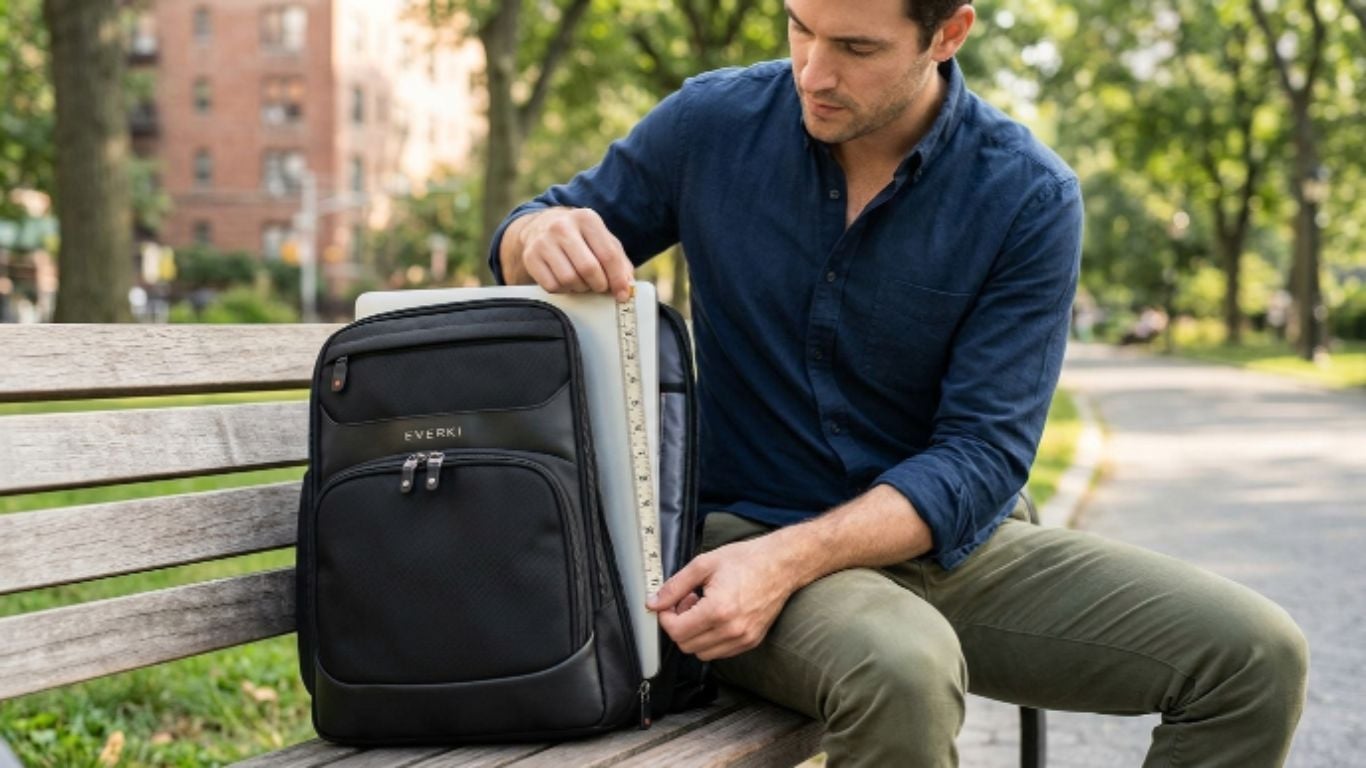
To measure a laptop's size for a backpack, measure the screen diagonally from corner to corner, then measure the closed body (width, depth, and height). Compare both sets of numbers against the backpack's compartment dimensions, not just the screen-size label. This takes under two minutes and prevents a wrong purchase.
Why Laptop Fit Matters

That is why learning how to measure laptop size before buying a backpack is so important. A laptop backpack should not only “fit” your device. It should protect it, hold it securely, and still feel comfortable on your shoulders. Everki designs, including the Atlas Backpack, focus on secure fit and shoulder comfort, making them ideal for daily commutes or travel.
The Fast Answer: What You Need to Measure
Before choosing a backpack, measure three things.
- First, measure the screen.
- Second, measure the laptop body.
- Third, check the laptop’s weight.
Most laptop bags are labeled by screen size, such as 15.6 inches or 17.3 inches. But that number does not always tell the full story. A thick gaming laptop can be harder to fit than a slim business laptop with the same screen size. Measure the full width, depth, and height of your laptop. Then compare those numbers with the laptop compartment listed by the backpack brand. This is the safest way to understand how to measure laptop size for a proper backpack fit. For heavier laptops, the Everki Flight Backpack offers excellent weight distribution and padding to keep your shoulders comfortable.
How to Measure or Check Your Laptop Screen Size
Laptop screen size is measured diagonally across the visible display area, from one corner to the opposite corner. Do not include the bezel, frame, or outer casing. This is the correct method for how to measure laptop screen, how to measure laptop screen size, and how to measure a laptop screen manually.
To measure it, place a tape measure at the bottom-left corner of the screen and pull it to the top-right corner. Keep the tape on the display only. That also answers how do you measure laptop screen size, how are laptop screens measured, and how are laptop screen sizes measured.
You can also confirm screen size without measuring. Check the product name, model number, system settings, manufacturer listing, or official spec sheet. This is useful when asking how to find screen size of laptop, how to check laptop screen size, how to know my laptop screen size, or how to check screen size of laptop.
How to Measure the Full Laptop Body
Now let’s measure the body.
- Close your laptop.
- Place it on a flat surface.
- Use a tape measure or ruler.
- Measure the width from left to right.
- Measure the depth from front to back.
- Measure the height from bottom to top.
These three numbers give you the length width height of laptop. This is what backpack fit really depends on. When people ask how do you measure laptop size, the most accurate answer is: measure the full closed device, not just the screen. That includes thick edges, rubber feet, raised hinges, and protective laptop shells.
Laptop Dimensions vs. Screen Size
A 15.6-inch laptop does not always have the same body size as another 15.6-inch laptop. Because bezels, thickness, casing, and hinge design vary. This is why laptop dimensions matter more than screen size when choosing a backpack. Screen size indicates the display size. Body dimensions indicate whether the laptop will actually fit in the compartment. So, when checking how to measure a laptop screen, remember that the diagonal display number is only one part of the process. The full body measurement is what protects you from buying the wrong bag.
| Screen Size | Typical Width | Typical Depth | Typical Height |
| 13 inch | ~11.9 in | ~8.4 in | ~0.6 in |
| 14 inch | ~12.7 in | ~8.8 in | ~0.7 in |
| 15.6 inch | ~14.1 in | ~9.7 in | ~0.8 in |
| 16 inch | ~14.1 in | ~9.8 in | ~0.9 in |
| 17.3 inch | ~15.7 in | ~10.5 in | ~1.0 in |
How Is Laptop Size Measured for Backpack Fit?
Now we get to the practical part. When you ask how is a laptop size measured, there are two answers. For screen size, measure diagonally. For backpack fit, measure the full closed laptop. That second answer is the one that matters most when shopping. You need the full footprint. That includes the length of laptop, its width, and its thickness. If your laptop has a hard shell case, measure it with the case on.
Average and Standard Laptop Sizes
There is no single universal size. Still, many laptops fall into common categories. Small laptops are often around 11 to 13 inches. Everyday work laptops are often around 14 to 15.6 inches. Larger creative or gaming laptops are often 16 to 18 inches. That is the general idea behind average laptop size. The phrase standard laptop size usually refers to popular 14-inch and 15.6-inch models. But do not rely on averages alone. Measure your laptop before buying a backpack. That one minute can save you a return. The Everki Business 120 is designed for larger laptops up to 18.4 inches, while the Atlas and Flight backpacks cover devices from 13 to 17.3 inches.
How Much Does a Laptop Weigh?
So, how much does a laptop weigh? A lightweight laptop may weigh around 2 to 3 pounds. A typical work laptop may weigh around 3 to 5 pounds. Larger gaming or workstation laptops may weigh more.
A heavier laptop needs better padding, stronger straps, and smarter weight distribution. For children, the American Academy of Pediatrics says backpacks should not weigh more than 15% of a child’s body weight. That guidance is written for children, not adult professionals, but it still shows why load weight, strap comfort, and fit matter when carrying tech every day.
For adults, the same principle applies in practice. If your backpack feels heavy before you add chargers, notebooks, and accessories, choose a more supportive design with better padding, better straps, and better balance.
What If You Carry Two Laptops?

Some people carry one work laptop and one personal laptop. Others carry a laptop and a tablet. If that sounds like you, search for a laptop bag for two laptops with separate padded areas. Do not stack two laptops in one tight sleeve. That can cause pressure marks, scratches, and impact damage. Use a backpack with smart compartments instead.
Backpack Options to Consider
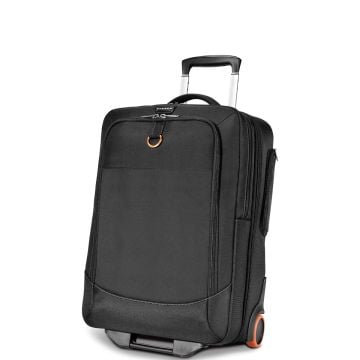
Once you know your laptop’s exact measurements, match them to an Everki backpack that fits your device and daily routine. For larger laptops, the Everki Business 120 is designed to fit devices up to 18.4 inches and offers a travel-friendly layout with generous storage. For flexible everyday carry, the Everki Atlas Backpack fits laptops from 13 inches to 17.3 inches, making it useful if your device size changes over time. For frequent travelers, the Everki Flight Backpack supports laptops up to 16 inches and offers a checkpoint-friendly design for smoother airport movement.
Before choosing from Everki’s laptop backpacks, compare your laptop’s width, depth, height, screen size, and weight with the listed compartment dimensions. This helps you avoid a tight fit and gives your device better protection during work, school, commuting, or travel.
Internal Fit Tip: Measure Before You Shop
Before browsing laptop backpacks, write your laptop dimensions on a note.
Keep this format:
Width: ___ inches
Depth: ___ inches
Height: ___ inches
Screen: ___ inches
Weight: ___ pounds
Then compare those numbers with each backpack’s specs. This makes shopping much easier. It also prevents guessing. And guessing is where bad fits happen.
Backpack Comfort Matters More Than You Think
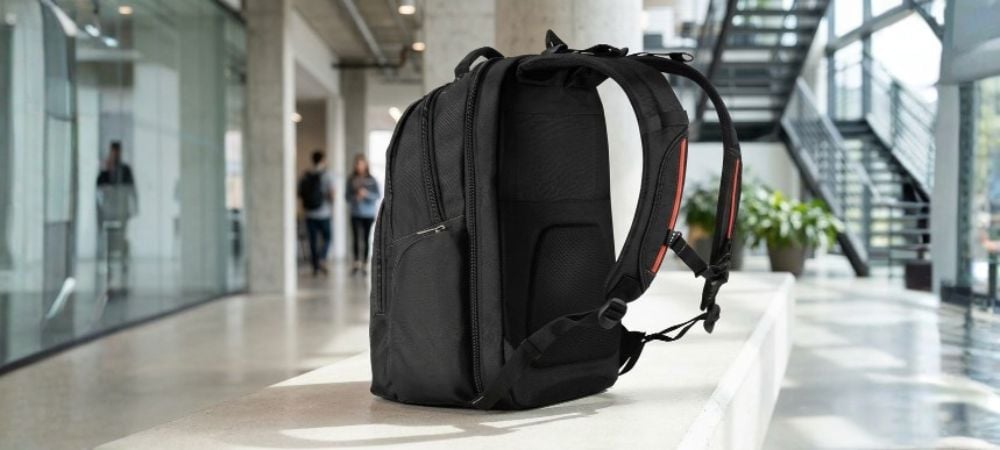
A laptop backpack should protect your tech. But it should also protect your body. Heavy bags can pull your shoulders back and encourage poor posture. Medical and pediatric sources often warn that overloaded backpacks can cause discomfort, especially when the weight is not properly distributed.
For adults, the same principle applies.
- Better padding.
- Better straps.
- Better balance.
- Better carry.
That is why a premium backpack is not just about style.
A Quick Buying Checklist
Before buying, confirm these points.
☑Does the bag fit your laptop screen size?
☑Does it fit your full laptop body?
☑Is the compartment padded?
☑Is there room for accessories?
☑Are the straps comfortable?
☑Does the design match your commute or travel style?
This is where how to measure laptop size becomes more than a keyword. It becomes a buying decision.
Conclusion
The right backpack starts with the right measurements. Measure the screen diagonally. Measure the full laptop body. Check the weight. Then compare your numbers with the backpack’s laptop compartment. That is the smart way to understand how to measure a laptop before you buy.
Ready to find a backpack that actually fits your laptop? Explore EVERKI laptop backpacks designed for secure device protection, smart organization, and comfortable daily carry.
FAQs
1. How do I measure my laptop for a backpack?
Close the laptop and measure the full width, depth, and height. Then measure the screen diagonally. Compare those numbers with the backpack’s laptop compartment.
2. Is laptop size the same as screen size?
No. Screen size is the diagonal measurement of the display. Laptop size includes the full body, including bezels, casing, hinges, and thickness.
3. Should I measure my laptop with its case on?
Yes. If you use a shell or protective sleeve, measure the laptop with it on. That gives you the real size that must fit inside the backpack.
4. What size backpack do I need for a 15.6-inch laptop?
Look for a backpack that supports 15.6-inch laptops, but also compare the compartment dimensions with your laptop’s full measurements.
5. Can a 17-inch laptop fit in a 15.6-inch backpack?
Usually, no. Some slim laptops vary in size, but forcing a larger device into a smaller compartment can damage the laptop or the bag.
6. What is the safest laptop backpack fit?
The safest fit is secure but not tight. Your laptop should slide in smoothly, stay stable, and allow the zipper to close without pressure.
7. How do I choose an Everki backpack?
Measure your laptop first. Then choose an Everki model based on laptop size, daily carry needs, travel habits, and storage preferences.